Subprograms let you name a piece of logic and reuse it. VisuAlg has two kinds: a funcao returns a value, while a procedimento performs an action and returns nothing. Both are declared after var and before the main inicio.
Writing a function
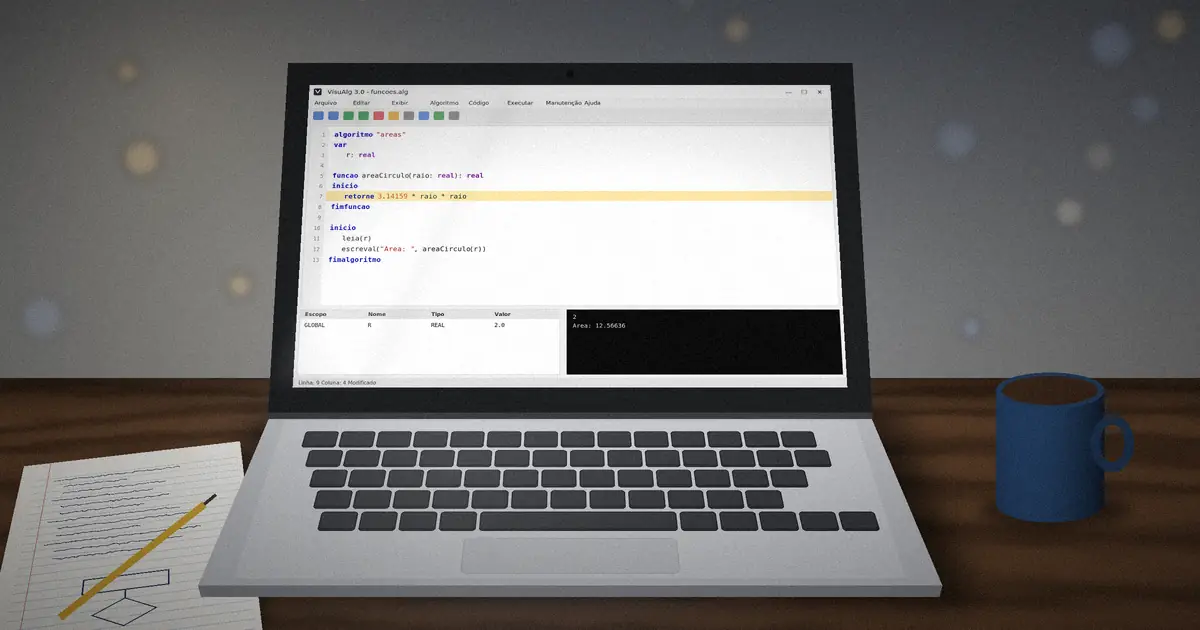
algoritmo "areas"
var
   r: real

funcao areaCirculo(raio: real): real
inicio
   retorne 3.14159 * raio * raio
fimfuncao

inicio
   leia(r)
   escreval("Area: ", areaCirculo(r):8:2)
fimalgoritmo
The type after the closing parenthesis, : real, is the return type. retorne sends the result back to the place that called the function.
Writing a procedure
procedimento linha(tamanho: inteiro)
var
   i: inteiro
inicio
   para i de 1 ate tamanho faca
      escreva("-")
   fimpara
   escreval("")
fimprocedimento
Call it like a command: linha(30). Procedures are perfect for printing headers, menus and repeated formatting.
Local and global variables
Variables declared in the main var section are global and visible everywhere. Variables declared inside a subprogram's own var are local: they exist only while the subprogram runs. Prefer local variables, because they cannot be changed by accident elsewhere.
Passing by reference
By default, parameters are passed by value: the subprogram gets a copy. Put var before a parameter to pass it by reference, so changes affect the caller's variable.
procedimento troca(var a, b: inteiro)
var
   aux: inteiro
inicio
   aux <- a
   a <- b
   b <- aux
fimprocedimento
Function or procedure?
| Use a function when | Use a procedure when |
|---|---|
| You need a value back, like a calculation | You perform an action, like printing |
| You will use the result inside an expression | You change several variables by reference |
Practice
- Write
ehPar(n)that returns VERDADEIRO for even numbers. - Write a
fatorial(n)function using a loop. - Write a procedure that prints a menu and use it inside a
repitaloop.
When something goes wrong, learn to debug VisuAlg step by step.